You bring the magic, we bring the tools
Discover the YouTube AI tools built to support your creator journey at every step, from the first spark of an idea to your final edit and beyond.
You bring the magic, we bring the tools
Discover the YouTube AI tools built to support your creator journey at every step, from the first spark of an idea to your final edit and beyond.

-
Beat the blank page
-
Create without limits
-
Build your following


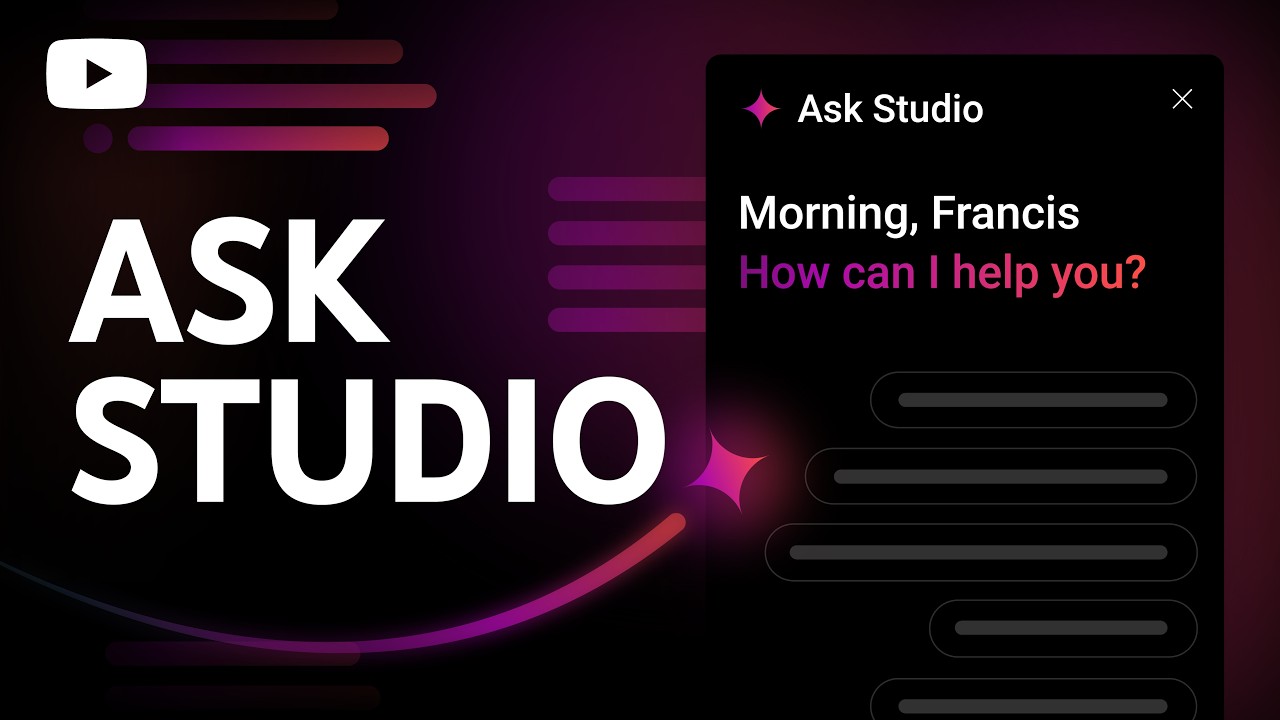
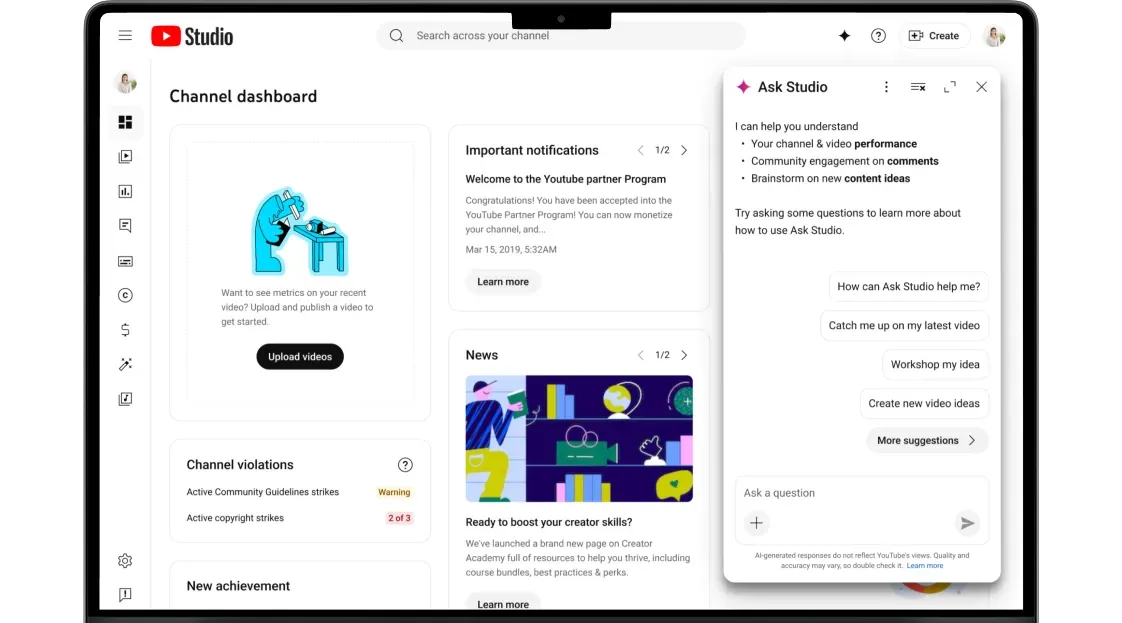
Ask Studio
Get help brainstorming your next hit video or planning your next big move. Ask Studio is your creative partner right inside YouTube Studio.
Meet your new
go-to creative partner
Ask Studio gives you insights and ideas based on your unique channel data, so you can spend less time researching and more time creating the content your community loves.
Go from blank page
to your boldest ideas
Sometimes the hardest part is starting. Use Ask Studio to help brainstorm concepts, find new angles, and blast through those creative blocks.
-
TRY THESE PROMPTS
-
Generate 5 video ideas based on my channel’s most successful topics from the last 6 months.
-
For the [video suggestion] idea, suggest 3 additional title options.
-
Create a thumbnail concept for my latest video about [Topic].

Dream up what’s next up
Know what works before you hit record. Ask Studio can help you quickly understand what’s landing, what isn’t, and what your viewers want to see next.
-
TRY THESE PROMPTS
-
Analyze the comments for [video title] to identify what resonated with viewers and what didn't.
-
Compare the reach of my Shorts versus my long-form videos.
-
Summarize my total channel growth over the last 90 days, including views, watch time, and subscribers.
Get a view into your viewers
Dig into audience behavior, interests, and engagement trends to uncover what matters most, to your community and you.
-
TRY THESE PROMPTS
-
Summarize the top 5 recurring themes or questions found in the comments of my recent uploads.
-
Examine audience retention for [video title] to find spikes and dips. Identify which specific moments kept viewers watching and where interest dropped off.
-
Identify the specific days and times my audience is most active on YouTube.
Meet your new
go-to creative partner
Ask Studio gives you insights and ideas based on your unique channel data, so you can spend less time researching and more time creating the content your community loves.
Go from blank page
to your boldest ideas
Sometimes the hardest part is starting. Use Ask Studio to help brainstorm concepts, find new angles, and blast through those creative blocks.
-
TRY THESE PROMPTS
-
Generate 5 video ideas based on my channel’s most successful topics from the last 6 months.
-
For the [video suggestion] idea, suggest 3 additional title options.
-
Create a thumbnail concept for my latest video about [Topic].
Dream up what’s next up
Know what works before you hit record. Ask Studio can help you quickly understand what’s landing, what isn’t, and what your viewers want to see next.
-
TRY THESE PROMPTS
-
Analyze the comments for [video title] to identify what resonated with viewers and what didn't.
-
Compare the reach of my Shorts versus my long-form videos.
-
Summarize my total channel growth over the last 90 days, including views, watch time, and subscribers.
Get a view into your viewers
Dig into audience behavior, interests, and engagement trends to uncover what matters most, to your community and you.
-
TRY THESE PROMPTS
-
Summarize the top 5 recurring themes or questions found in the comments of my recent uploads.
-
Examine audience retention for [video title] to find spikes and dips. Identify which specific moments kept viewers watching and where interest dropped off.
-
Identify the specific days and times my audience is most active on YouTube.
Edit with AI
Use Edit with AI in the YouTube Create app to turn your raw footage into a polished first draft. Post it as is or fine tune it—the final result is all you.
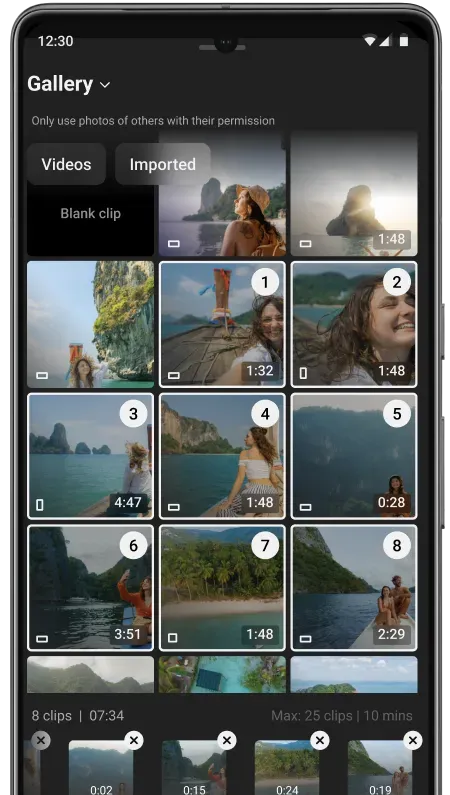
Get a first draft that makes the cut
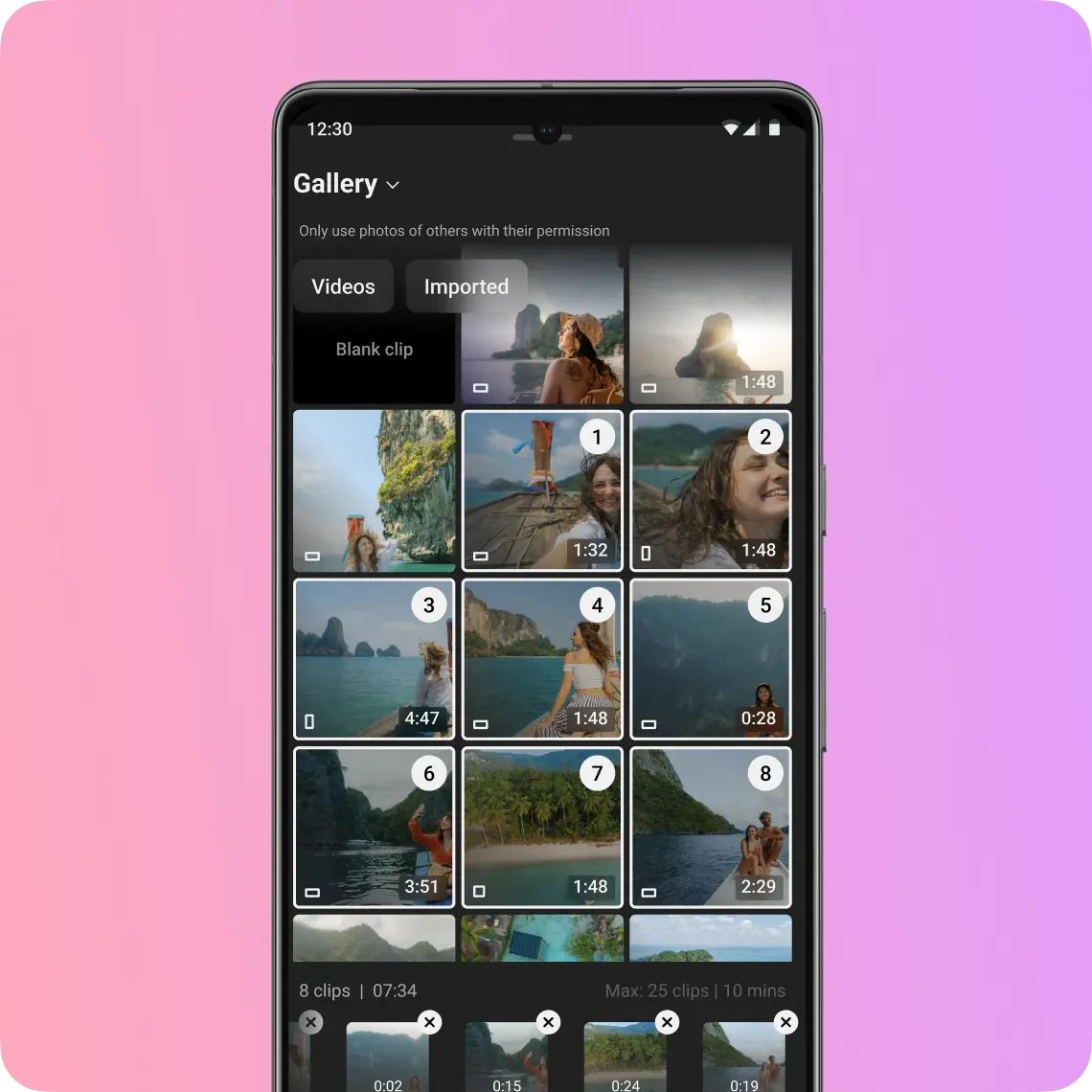
Select clips from your camera roll, and Edit with AI will make a rough draft with all your best moments.
Get started on the YouTube Create app




*Available in select markets

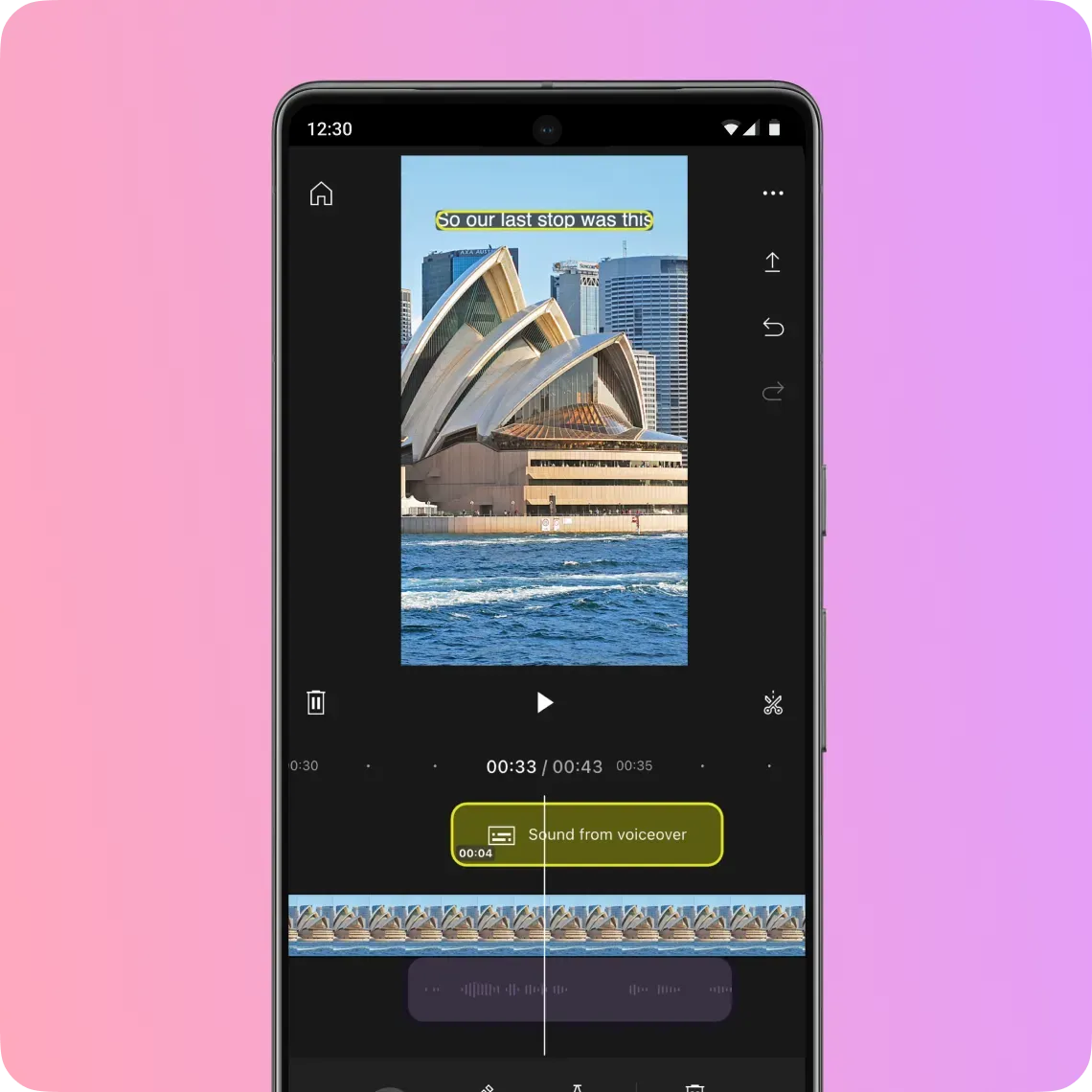
Keep viewers hooked, even on mute
No more typing out subtitles. Get instantly generated captions that sync to your speech, then customize them to match your vibe.
Get started on the YouTube Create app
*Available in select markets

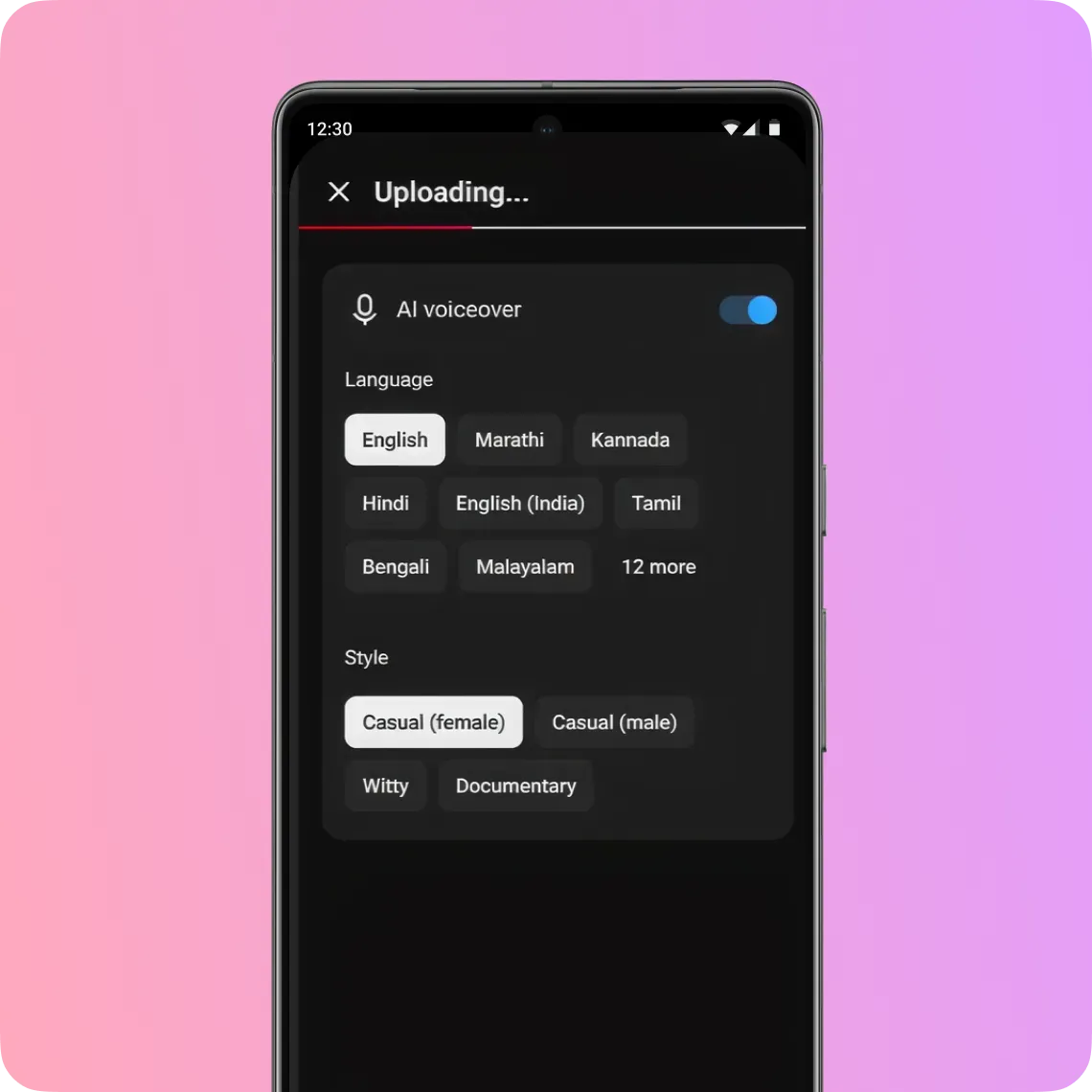
Give your story a voice
Edit with AI can add natural-sounding, studio-quality voiceover in different languages, so you can skip the recording and still be heard.
Get started on the YouTube Create app
*Available in select markets

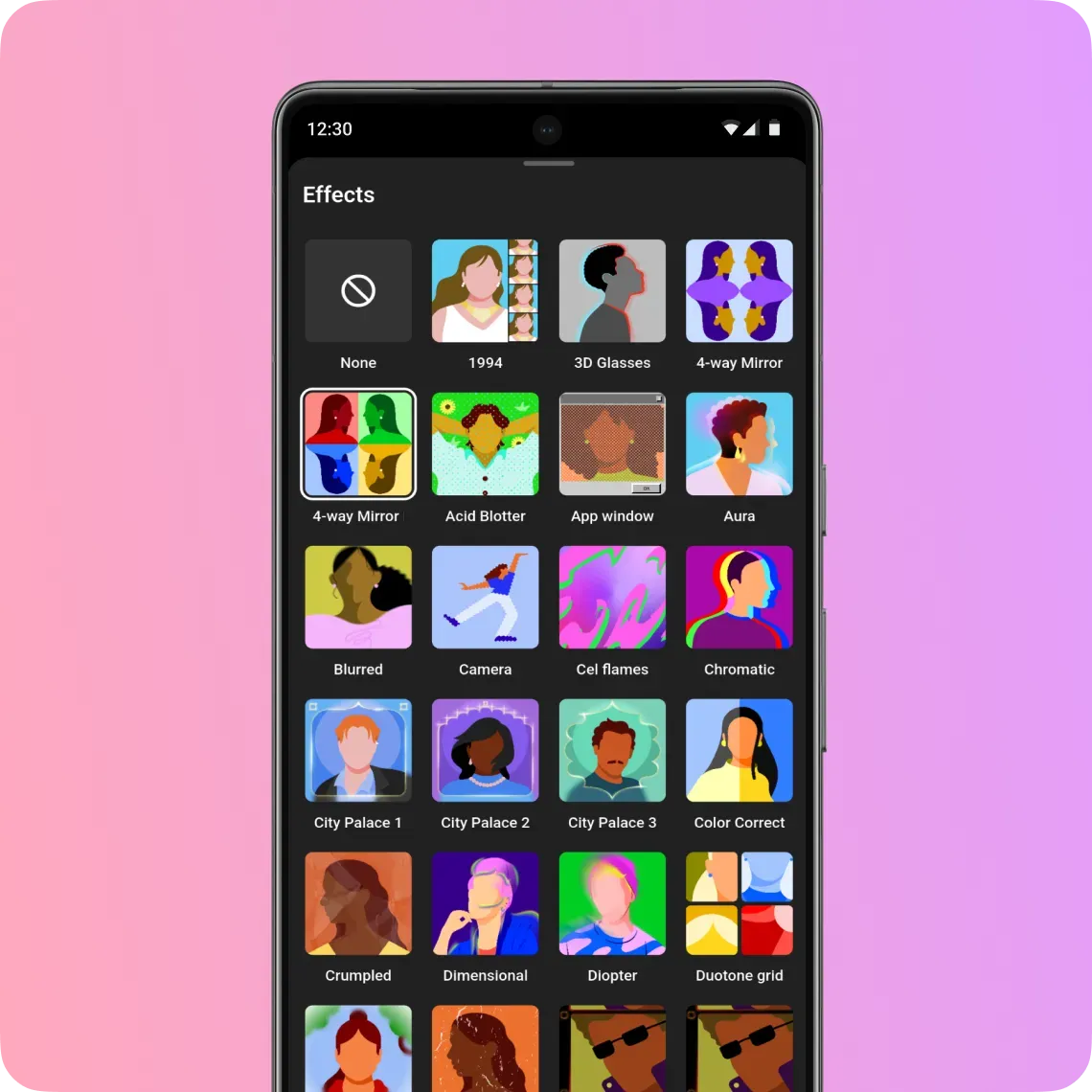
Add the touches only you can
With the heavy lifting done, you can focus on getting your video just right. Refine the story, perfect the timing, and add the personal touches your viewers love with dozens of filters, transitions, and more.
Get started on the YouTube Create app
*Available in select markets

Get a first draft that makes the cut
Select clips from your camera roll, and Edit with AI will make a rough draft with all your best moments.
Keep viewers hooked, even on mute
No more typing out subtitles. Get instantly generated captions that sync to your speech, then customize them to match your vibe.
Give your story a voice
Edit with AI can add natural-sounding, studio-quality voiceover in different languages, so you can skip the recording and still be heard.
Add the touches only you can
With the heavy lifting done, you can focus on getting your video just right. Refine the story, perfect the timing, and add the personal touches your viewers love with dozens of filters, transitions, and more.
Get started on the YouTube Create app
*Available in select markets

Ready to supercharge your channel?
Get started with Ask Studio
Try Edit with AI in the YouTube Create app*
*Available in select markets
Frequently asked questions
Ask Studio is built into your YouTube Studio dashboard on desktop, so it’s ready to help whenever you need it. Ask Studio is available to most YouTube creators globally—just look for the Ask Studio in the top corner within YouTube Studio. Edit with AI lives inside the YouTube Create mobile app, putting a powerful, AI-assisted editing tool right in your pocket.
Because Ask Studio draws directly on your unique channel data, audience trends, and historical performance, you get tailored ideas to help you understand, engage with, and grow your community.
Get the most from Ask Studio with these tips:
- Start with a clear objective: Think about what you want to achieve. Are you looking for insights on your community or to understand your latest video’s analytics better?
- Ask specific questions: The more specific your questions are, the more helpful Ask Studio’s answers will be. Instead of "How is my channel doing?", try "What are the recurring themes in my latest comments?"
- Tag your videos: Click the Add (+) icon inside the chat box to link a specific upload directly to your prompt.
- Keep the conversation going: If an initial response isn't exactly what you're looking for, try different phrasing or follow-up questions. Follow-up questions are also a great way to dig a little deeper and push ideas even further.
Not at all. Edit with AI is designed for creators at every skill level, so it’s easy to get started, whether you’ve been creating for years or are just getting up and running.
Edit with AI is ideal for creators who want to produce more engaging videos that capture their unique vibe. Edit with AI can help with the time-consuming first steps—like trimming your clips and turning them into a rough draft—and then you add your magic. So fine-tune the pacing, customize the text styles, and add the personal touches your viewers will love. When you use Edit with AI, you always have total creative control.